JavaScript

Byte Calculator in Bootstrap

Submitted by azalea zenith on
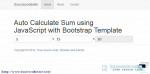
In this tutorial, we are going to create Byte Calculator in Bootstrap. This tutorial creates using JavaScript. If you are looking for this kind of tutorial then you are at the right place. Using this tool to convert the size of one file of one unit to another. The results turn in these possible units option. Like, Byte, KiloByte, MegaByte, and GigaByte. After downloading this source code, kindly insert the desired numeric value in the TextBox then select what units do you want to convert it and click the "Calculate . .

Stopwatch in Bootstrap Templates

Submitted by azalea zenith on
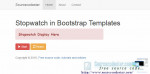
In this tutorial, we are going to learn how to create Stopwatch in Bootstrap Templates. The feature of this simple tutorial has the function to start the stopwatch, to pause, to resume, and to reset the stopwatch back to zero. If you hit the reset button the timer will automatically back to zero then press the start button to begin. Look for the Live Demo, click the button below.

Simple Clock using Dropdown in Bootstrap Template

Submitted by azalea zenith on
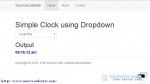
This Simple Clock using Dropdown in Bootstrap Template. This simple tutorial creates using JavaScript, HTML, and Bootstrap Template for the GUI. Using the drop down function, you can set the time format in every city around the world. You can use this simple tutorial to change the time set in your web projects or in a system that you have.

Cross Fading Image Slideshow Carousel

Submitted by alpha_luna on
In this simple tutorial, we are going to learn how to create Cross Fading Image Slideshow Carousel. We are going to use the jQuery plugin to create a cross-fading slideshow. This simple carousel created for a desktop web page that loops infinitely and it will automatically display the image through an HTML source code list of images with simple arrow navigation and numeric value pagination. Check the LIVE DEMO.

Moving Text in TextBox using JavaScript in Bootstrap

Submitted by alpha_luna on
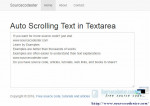
In this tutorial, we are going to learn how to create Moving Text in TextBox using JavaScript in Bootstrap. This simple project, text in a textbox that automatically scrolling in itself and it is created using JavaScript query and for the GUI using Bootstrap Template. You can use this simple project to catch the attention of the users while they visiting your site.

Random Order Content using JavaScript

Submitted by alpha_luna on
This project Random Order Content was created using HTML and JavaScript. This kind of system lets you shuffle the display order of your regular content on your page. Just wrap it with the participating contents each inside a
tags with a CSS class name, and this will scramble or will shuffle the order in which contents are shown on your page from top to bottom. Also, you can make a multiple "groups" of a random order content.

Bar Chart Plugin with jQuery

Submitted by alpha_luna on
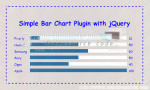
This tutorial helps you make a Bar Chart Plugin with jQuery, I made a Chart that shows the percentage of different brands of Cellphones. I'm using jQuery and HTML/CSS to create this simple bar chart. Hope that this tutorial will help you a lot. You can also check the live demo of this simple tutorial, so you can get an idea and you can try this out, let's start coding.