JavaScript

Javascript - Simple CRUD
Submitted by razormist on
Learn on how to create a Simple CRUD using Javascript. JavaScript is a scripting or programming language that allows you to implement complex things on web pages. It is a text-based programming language meant to run as part of a web-based application. It is an interpreted programming language that has a capabilities of Object-Oriented.

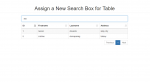
Assign a New Search Box for Table Outside of DataTable

Submitted by nurhodelta_17 on
This tutorial tackles on how to create a new search box for table using datatable. By default, the search box in datatable plugin is located in the upper right corner of the table. To design this search box, there are several ways on how to do this. One of this ways is to create a new search box and assign it to our data tabled table.

Beautiful Widget Dashboard using Javascript, Angular and CSS

Submitted by mkcoder on
Simple Widget Dashboard with three amazing widgets. Clock, Weather and Calendar. This dashboard has been developed using Javascript, Angular, CSS and HTML. The code is very simple to understand. I will be posting more content to help you learn. Please keep visiting this website for more. Want help in coding join - codejango bootcamp

Javascript - Simple Loading Bar

Submitted by razormist on
Learn on how to create a Simple Loading Bar using Javascript. JavaScript is a scripting or programming language that allows you to implement complex things on web pages. It is a text-based programming language meant to run as part of a web-based application. It is an interpreted programming language that has a capabilities of Object-Oriented.

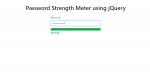
How to Create a Password Strength Meter using jQuery

Submitted by nurhodelta_17 on
This tutorial tackles on how to create a password strength meter using jQuery and Bootstrap 4. To improve user registration experience and for them to determine how strong their registered password, you can add this functionality to your registration form. jQuery is a javascript library that improves UI and makes you use javascript easier.

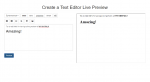
How to Create a Text Editor Live Preview

Submitted by nurhodelta_17 on
This tutorial tackles on how to create a simple live preview of a text editor using jquery/javascript with iframe. If your building a CMS site and integrated a function where users can be able to send articles and have a text editor. You can include this live preview to have a better user experience since the page wont reload on preview.