
How To Create Random Password Generator Using JavaScript
Submitted by alpha_luna on Saturday, May 28, 2016 - 14:00.
Random Password Generator Using JavaScript
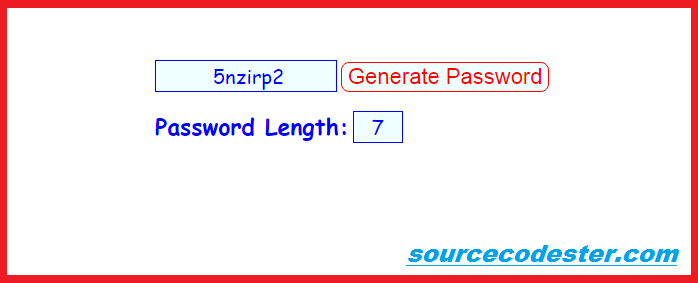
In this article, we are going to learn on how to create Random Password Generator Using JavaScript. This article you can use to your projects or systems. This program work by hitting the Generate Password Button then the random password automatically display in the textbox.HTML Source Code
Copy and paste this source code to your BODY tag.- <form name="password_generate" style="margin:auto; width:400px; margin-top:100px;">
- <input type="text" size=18 name="output" autofocus="autofocus" style="font-family: cursive; text-align: center; color: blue; font-size: 20px; border: 1px solid blue; width: 182px; text-indent: 5px; background: azure;">
- <input type="button" value="Generate Password" onClick="execute_To_Generate(this.form.password_Length.value)" style="border-radius: 8px; color: red; background: azure; border: 1px solid red; font-size: 22px;">
- <br />
- <br />
- </form>
Script
This script for the auto password generator.- <script>
- var pattern_list="abcdefghijklmnopqrstuvwxyz123456789"
- var example=''
- function generate_password(plength){
- example=''
- for (i=0;i<plength;i++)
- example+=pattern_list.charAt(Math.floor(Math.random()*pattern_list.length))
- return example
- }
- function execute_To_Generate(enterlength){
- document.password_generate.output.value=generate_password(enterlength)
- }
- </script>
This is the result:
 And, that's it. You have successfully created a simple password generator.
Share us your thoughts and comments below. Thank you so much for dropping by and reading this tutorial post. For more updates, don’t hesitate and feel free to visit this website more often and please share this with your friends or email me at [email protected]. Practice Coding. Thank you very much.
And, that's it. You have successfully created a simple password generator.
Share us your thoughts and comments below. Thank you so much for dropping by and reading this tutorial post. For more updates, don’t hesitate and feel free to visit this website more often and please share this with your friends or email me at [email protected]. Practice Coding. Thank you very much.