
Code Snippet Manager Using HTML, CSS and JavaScript with Source Code
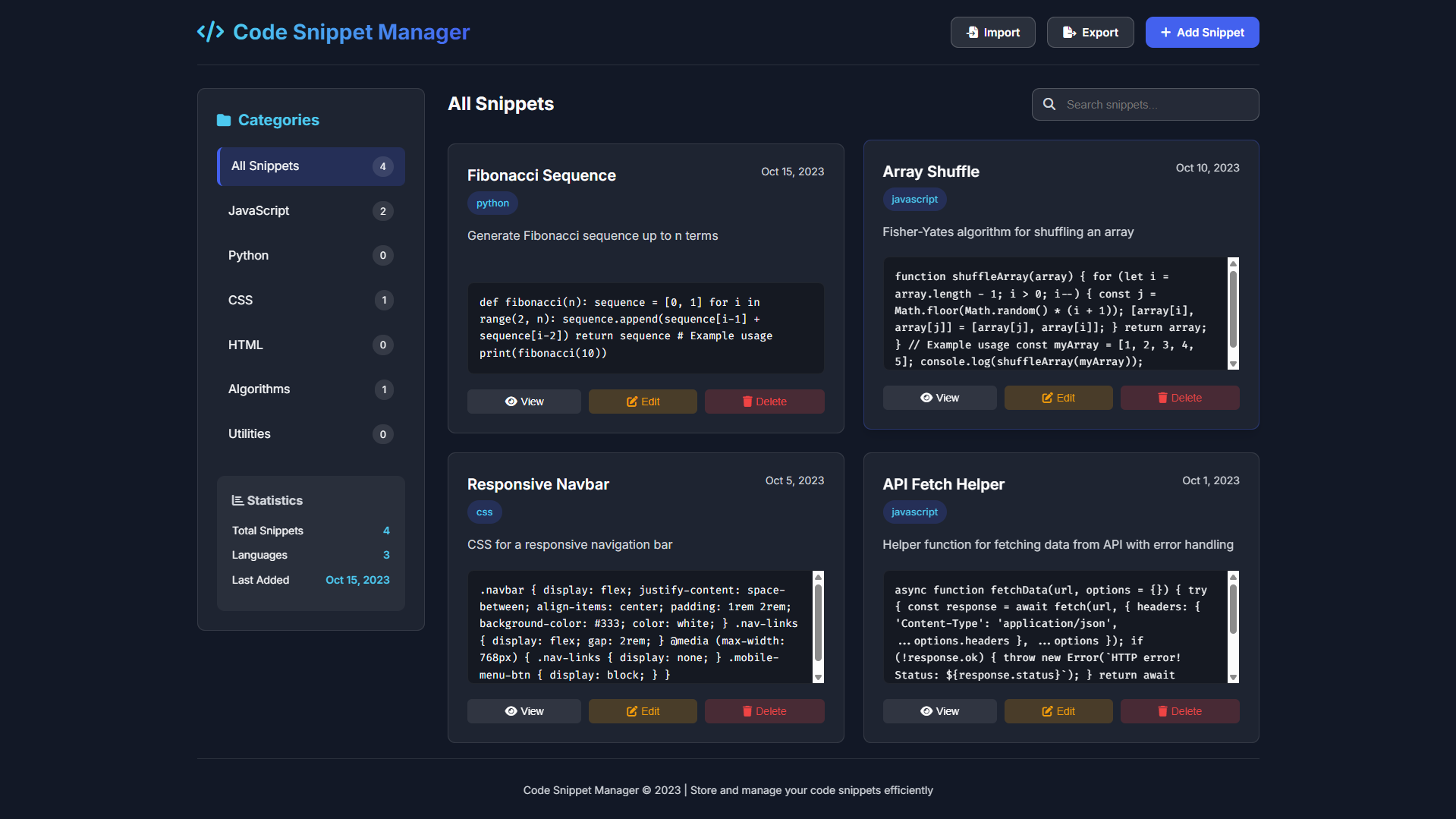
Welcome to the Code Snippet Manager, a modern web application designed to streamline how developers store, organize, and retrieve reusable code. This intuitive tool helps you build a personal library of coding solutions, eliminating the need to repeatedly search for or rewrite common functions and patterns. With its clean, responsive interface and powerful organizational features, you can efficiently manage code across multiple programming languages and projects, saving valuable time during development and fostering better coding practices.
Built entirely with HTML, CSS, and vanilla JavaScript, this application demonstrates the power of front-end technologies to create full-featured, client-side tools. It runs directly in your browser with no backend requirements, storing all your snippets locally for security and immediate access. Whether you're a beginner collecting learning examples or a seasoned professional maintaining a utility library, this Code Snippet Manager provides an elegant and practical solution for keeping your valuable code organized and accessible whenever inspiration strikes.
Key Features:
Complete CRUD Operations: Create, read, update, and delete code snippets with an intuitive interface
Category Organization: Organize snippets into logical categories like JavaScript, Python, CSS, Algorithms, and Utilities
Advanced Search: Find snippets quickly by searching through titles, descriptions, code content, and languages
Multi-Language Support: Store snippets in various programming languages including JavaScript, Python, HTML, CSS, Java, C++, SQL, and more
Import/Export Functionality: Backup and restore your snippet library using JSON file format
Statistics Dashboard: View metrics including total snippets, languages used, and last added date
Clipboard Integration: Copy code to clipboard with a single click for immediate use
Responsive Design: Fully responsive interface that works on desktop, tablet, and mobile devices
Local Storage: All data persists in the browser's local storage with no server required
Modern UI/UX: Clean dark theme with smooth animations, visual feedback, and intuitive controls
Technologies Used:
HTML5: Semantic markup for application structure and content
CSS3: Modern styling with CSS Grid, Flexbox, custom properties (variables), and responsive design techniques
Vanilla JavaScript: No frameworks or libraries—pure JavaScript for all functionality
Font Awesome: Icon library for intuitive interface elements
Google Fonts: Inter and Fira Code fonts for clean typography and code display
Local Storage API: Browser storage for data persistence between sessions
Clipboard API: Modern browser API for copying code to clipboard
How to Use:
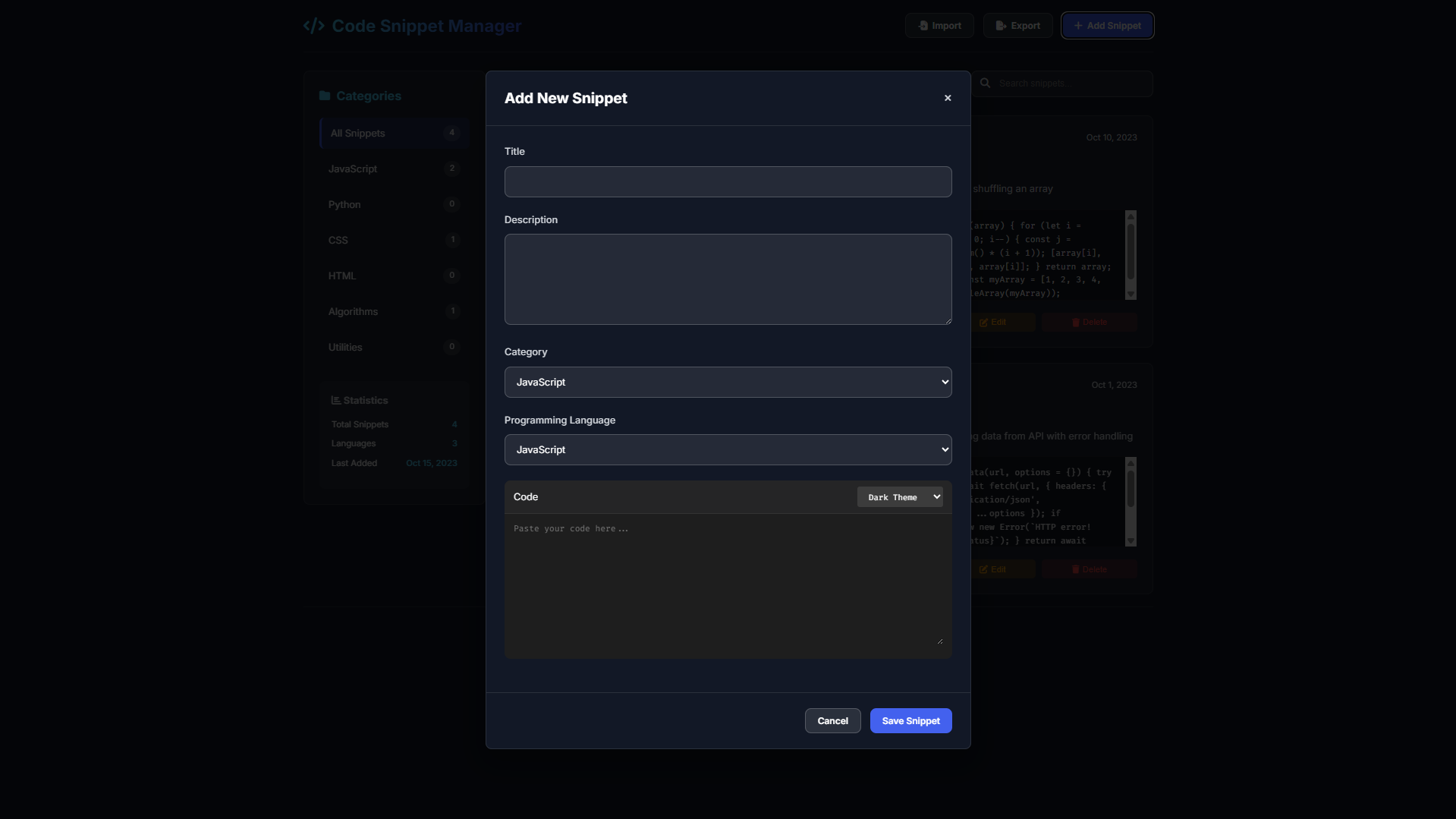
Adding Snippets: Click the "Add Snippet" button, fill in the title, description, select category and language, then paste your code
Viewing Snippets: Click any snippet card to view its full details including formatted code display
Editing Snippets: Use the edit button on any snippet card to modify its content
Deleting Snippets: Remove unwanted snippets using the delete button with confirmation
Organizing by Category: Click on categories in the sidebar to filter snippets by type
Searching: Use the search bar to find snippets by any content (title, description, code, or language)
Copying Code: When viewing a snippet, click the "Copy" button to copy the code to your clipboard
Importing Data: Use the "Import" button to load snippets from a previously exported JSON file
Exporting Data: Use the "Export" button to download all your snippets as a JSON backup file
Mobile Use: The interface automatically adapts to mobile screens with responsive layouts
Sample Screenshots of the Project
Landing Page
Adding Snippet Modal
How to Run?
- Download the provided source code zip file.
- Extract the downloaded zip file.
- Open the html file and you are now ready to go!
Video Demonstration for Installation/Setup:
Conclusion:
In conclusion, this Code Snippet Manager exemplifies how modern front-end technologies can create powerful, practical applications that address real developer needs while maintaining elegant design and a seamless user experience. By providing an intuitive platform for organizing, searching, and reusing code across projects, it transforms scattered fragments into a valuable, accessible knowledge base that enhances productivity and supports continuous learning. As a self-contained web application requiring only a browser to function, it demonstrates the potential of client-side development to build sophisticated tools that are both immediately useful and professionally crafted, serving as both a practical utility for daily coding and an inspiring example of what can be achieved with HTML, CSS, and JavaScript alone.
That's it! I hope this "Code Snippet Manager Using HTML, CSS and JavaScript" will assist you on your programming journey, providing value to your current and upcoming project.
For additional tutorials and free source codes, explore our website.
Enjoy Coding :>>
Note: Due to the size or complexity of this submission, the author has submitted it as a .zip file to shorten your download time. After downloading it, you will need a program like Winzip to decompress it.
Virus note: All files are scanned once-a-day by SourceCodester.com for viruses, but new viruses come out every day, so no prevention program can catch 100% of them.
FOR YOUR OWN SAFETY, PLEASE:
1. Re-scan downloaded files using your personal virus checker before using it.
2. NEVER, EVER run compiled files (.exe's, .ocx's, .dll's etc.)--only run source code.