This part is the second and final part of my notification box tutorial in which we will be styling the HTML we create in part 1, and adding Javascript functionality to the close box.
CSS:
First we want to set our CSS area in our HTML file...
This tutorial is going to be explaining the Javascript/jQuery events for mouse enter and leave.
jQuery Events?
jQuery or Javascript events are triggered when the appropriate event trigger occurs. The trigger is easily determined by simply looking at the event name, for example; this tutorial is on the 'mouse enter' and 'mouse leave' events, which are therefore triggered when the user moves their mouse in to, and out of, the given event area.
HTML:
Before we can start our jQuery we need some basic HTML.
Welcome to the third and final part of Parallax Scrolling tutorial in HTML, CSS, and jQuery.
This part is going to cover the jQuery part of the script, which handles the actual moving of the parallax effect.
Including jQuery:
Before we can begin writing a bit of jQuery, we must first include it in our HTML file.
On my previous project, I created a image rotate using css. In this example, we will create again an css image rotate animation but using javascript code. With a few lines of codes using the javascript, images rotate 360 degrees infinitely. Hope you learn from this.
This is the final part of my mini-series explaining how to create interactive tracker boxes in HTML, CSS, and jQuery to allow HTML content to change once the user interacts with the boxes.
This part is will explain the final step, jQuery.
jQuery Installation:
To begin using jQuery within our file, we first need to link it.
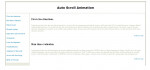
This project will teach you on how to disable right click, copy and paste. We can use this codes in preventing the users doing unwanted things on our page. It can protect your page content from being copied. I used my previous project Auto Scroll as an example. The right click are being disabled and there's no way the users can copy and paste the page content. Hope you learn from this.
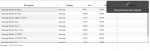
This project will teach you on how to create a notification using the jQuery. In my example, I used my previous project jQuery Datatables. In every update of the selected item, BlockUI jQuery plugin appeared saying that item selected has been updated. You can also customize the notification by changing the css codes. Hope you learn from this.
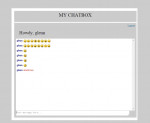
This project will teach you on how to include emoticons in your chat box using jQuery and PHP. I used my previous project Chat Box as an example. The supported symbols typed were replaced with a graphic image using CSS. As you will see in my project, I have some examples of supported emoticons. Hope you learn from this.
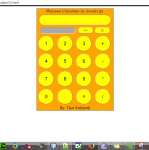
Simple Web Calculator using JavaScript. - Addition - Minus - Multiplication - Division and so on Tool: NotePad++ and available on other Web Language Editor tools..Good luck