JavaScript

How to Make Hangman Game Using HTML JavaScript
Submitted by alpha_luna on
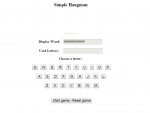
A game is a good way to keep your visitors and yourself occupied in your site. This script is a reincarnation of the classic "Hang Man" game. You have to play against the computer. The vocabulary used in this game is configurable. This is a customized Hang Man game with images to display the wrong guesses. This is a cool and fun game to play. This is the game that the user/player will predict what is the word that the computer ask.

How To Make Bigger Image Viewer Using HTML JavaScript

Submitted by alpha_luna on
Have you encountered images that are so small or blur? These images need to be resized or zoomed in. There is a way to see this kind of images clearly. It is called "Bigger Image Viewer". In this tutorial, we are going to learn How To Make Bigger Image Viewer. So, what is it all about? From the name itself, Bigger Image Viewer automatically adds a caption beneath the images of your choice that when clicked on launches a bigger and clearer version of the image. There may be alteration from the original image to the enlarged version due to the process.

How To Make Word Count Using HTML JavaScript

Submitted by alpha_luna on
Through this script ,words in paragraphs ,data ,and even whole articles will be counted automatically. How many times did you launch an entire word processor just to find out the number of words of a certain paragraph contains? If you have a site that contains forms, you could also include this script on the page to spare your visitors they had to go through in counting the number of words. You no longer need to waste your time just counting the words a particular site has.

How To Rescue The Data In Text and Textarea Using HTML JavaScript

Submitted by alpha_luna on
Have you ever had troubles signing up in a browser? Let me state an example . You were signing up or trying to log in to a particular browser for a long period of time already then , the browser start refreshing again , as a result, all your sign up information were lost which leads you to do the first step yet again .

How To Make Animated Information Bar Using HTML JavaScript

Submitted by alpha_luna on
This is a simple animated information bar created using HTML and it's pure JavaScript code. You can view from the top of the browser the information to your visitors in an eye catching way. The information bar in view will remain static on your screen above even when you scroll the page. Lastly, you can set the Frequency controls to limit the displaying information bar to once per session of your

Simple Drop Down Clock Using HTML JavaScript

Submitted by alpha_luna on
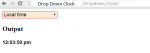
This is a simple drop down clock created using HTML and JavaScript. You can set the time of different cities around the world in the drop down menu. Note: To use or set your own city, simply add it in the drop down menu using the tags, and specify the city offset from the GMT inside the value attribute. Example Buenos Aires Try it yourself and enjoy coding.

Simple Calendar Using HTML JavaScript

Submitted by alpha_luna on
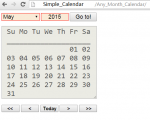
This simple calendar is created using HTML, and JavaScript. It enables you to navigate the calendar for any month of any year. Use the drop-down menu to select what you want month to execute. Just download the source code and use it to your project. Try it yourself and enjoy coding. Hope this work will help you in your project.

Simple Contact Form Using HTML JavaScript

Submitted by alpha_luna on
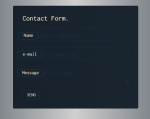
This is simple Contact Form create and design using HTML, CSS, and JavaScript. This is very useful in creating a websites. There's so many things we can do in CSS plus JavaScript in terms of designing a website. Try it yourself and enjoy coding. Just download the source code and use it to your project. Hope this work will help you in your project.