JavaScript

Sticky Top Navigation Menu using jQuery Plugin
Submitted by alpha_luna on

Sticky Top Navigation Menu using jQuery Plugin

This is another tutorial for jQuery menu plugin that our navigation menu stick at the top of our page when the user scrolling down our created page. This plugin also provides other function that to know the user what they are currently viewing on the page corresponding to the stick navbar menu.

How to Create Slide Out Navigation Panel using jQuery

Submitted by alpha_luna on
In this tutorial, we are going to create Slide Out Navigation Panel using jQuery. This is a jQuery menu plugin that creating off-screen side panel menu navigation that every time you click the trigger it will slide out from the left side of your simple page that you created and your body content will move to the right of your page.

How to Calculate Years Between Two Dates in jQuery

Submitted by janobe on
When you are struggling to calculate your age by your date of birth, now here's a solution to your problem. In this tutorial, I will teach you how to Calculate Years Between Two Dates in jQuery. This is a simple yet powerful method of calculating date interval by years. Simply follow the step by step guide below.

Let's get started:

Step 1. Create a landing page and name it "index.php". Step 2.

Flip Effect: Log In and Sign Up

Submitted by mark gerryl mi… on
Simple login and sign up form built in bootstrap. A flip effect to change from login form to signup form. Easier to direct to other forms without reloading the page. Another way than using the tab class. Hope you like it. Sample Source Code This simple source code for the Log In Form for the user, where they can type their username and password to log in​. LOGO Forgot Password LOG IN Sign in with

Date and Time of Last Visit

Submitted by alpha_luna on
This is simple script record which displays the date and time of your visitor's last visit. It will display when the user returns to your site. If it is your visitor's first visit to your site, a greeting message will be shown. You can customize the message to be displayed on your site. It will display the message, date and time of the user's last visit to the site.

Digital Clock using jQuery

Submitted by alpha_luna on
In this article, we are going to create Digital Clock using jQuery. You can use this simple program to your thesis projects or any kind of systems that you've created. Kindly download the full source code below.

You will Learn:

  • You can learn to construct simple markup using HTML.
  • You can learn to create stylish Digital Clock.
  • You can learn to build Digital Clock using jQuery.

Creating Markup

Creating simple HTML source code to display our Digital Clock.

Responsive Form Validation

Submitted by rinvizle on
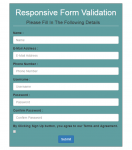
This tutorial we will create a Responsive Form Validation that we will show you how to integrate client side responsove form validation using jQuery validation. The client side of responsive form validation is very useful for validating a form and it makes your web project more user friendly. You can found many ways to perform client side validation in HTML form, but jQuery validation is the easiest way to validate a form.

Confirmation Alert Box using JavaScript

Submitted by alpha_luna on
In this article, we are going to create Confirmation Alert Box using JavaScript. You can use this simple script source code to give any confirmation to the user or the admin whether delete, accept, add, view, or etc. This simple article usually used for deleting or confirming information to your systems or websites. This is a simple source code.