JavaScript

Simple jQuery Time Picker

Submitted by alpha_luna on
In this article, we are going to learn how to create Simple jQuery Time Picker on your web page. We are going to use simple and lightweight jQuery plugin to create this. It consists a 24-Hour or 12-Hour format from your time picker to your text field when the user clicks on. Download the full source code below then try it.

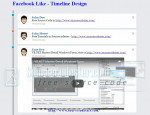
Facebook Like - Timeline Design

Submitted by alpha_luna on

Facebook Like - Timeline Design

In this tutorial, we are going to create Facebook Like - Timeline Design using jQuery and CSS. We all know, timeline design already exist on a social networking site and it's called Facebook. In this case, we are going to discuss how to design timeline in our web page in a simple and easiest way using jQuery, CSS, and JSON file for the data.

Password Strength Checker

Submitted by rinvizle on
This tutorial we will teach you how to construct a Password Strength Checker that gives the users feedback as to whether their password has sufficiently met the complexity requirements. A strong password is critical to account security and this tutorial teaches you how to design a system that gauges password strength using jQuery.

How to Create Swipe Responsive Navigation Menu

Submitted by alpha_luna on
If you are looking for Swipe Responsive Navigation Menu then you are at the right place. This is a mobile friendly swipe navigation menu in your page. We are going to use responsively jQuery navigation plugins which we will be going to collapse your navigation menu then the swipe function will run.

How to Create Dropdown Navigation with jQuery and CSS

Submitted by alpha_luna on
In this tutorial, we are going to learn how to create Dropdown Navigation with jQuery and CSS. This simple work can help you to build a beautiful yet powerful drop down navigation menu in your created page. This work built using nested HTML lists and a help of the jQuery’s plugin like slide down and slide up animations and using CSS.

Auto Hides Fixed Top Navigation Menu

Submitted by alpha_luna on

Auto Hides Fixed Top Navigation Menu

Today, we are going to create Auto Hides Fixed Top Navigation Menu with jQuery and CSS. We are going to use the basic jQuery plugins to do this kind of tutorials. Using it, we create fixed top navigation menu in the header of the page and it will autohide the menu when the user scrolls down the window but it will show it out again when it scrolling up the window again.