Programming

Computerized Inventory System Using MS Access
Submitted by Ranielle Canlas1 on
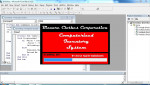
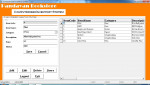
a simple inventory of school supplies. this system was created in Visual Basic 6.0 with MS Access 2007 Database. Using Adodc Control bounded to DataGrid and each field is connected to a particular textbox and combo box. Splash screen with loading from progress bar using timer and the login module is connected to users account stored in the database I created 5 variations of Inventory system, any

Computerized Inventory System using VB6

Submitted by Ranielle Canlas1 on
A simple Product Inventory management System Created using microsoft visual basic 6.0 and the database was created using microsoft access 2007.. and is connected using ADODC/Datagrid control. Adding/Editing and Deleting of records are possible and it is also capable of managing application users for system login. the splash screen has animated loading effect using progress bar and timer I created

Submit Form Without Refreshing the Page (With Form Validation)

Submitted by dah.factor on
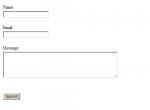
PHP, jQuery, HTML and MySQL. (Submitting a Contact Form Without Refreshing of Page and with form validation using jQuery) Server Configuration: hostname = "localhost" user = "root" password = "" database = "dbcontact" Create table and name it as "contact" with fields: name (varchar) email (varchar) message (varchar) created_date (timestamp) Just email me ([email protected]) or comment here if

Resistor Calculator

Submitted by wasantha on
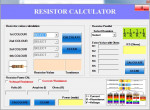
To use the calculator, select a value from the vertical group of Color Band 1, from Color Band 2 and from Color Band 3. Immediately to the left of the Calculate Values button below the three bands, there are three boxes that upon selection of a color from the bands, an identifying number and color will correspond in appearance. After selecting a value from all three bands, click on Calculate

Simple Image Viewer in Java

Submitted by mehfuza on
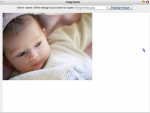
Introduction In this tutorial we will learn how to display picture in Java Application. There is difference between how a picture displayed in application and applet. For application we require drawImage() method which draws the image to specific component and not the entire frame. Implementation Step 1: Creating the components We require a label, text field where user will enter name or address

Visual Basic Twitter Feed Scraper

Submitted by Yorkiebar on
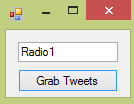
Introduction: Welcome to my tutorial on how to create a Twitter profile tweet scraper. First create a form which contains a textbox for the profile username and a button to begin the process. Steps of Creation: Step 1: Import the following two imports so we can get the profile page source and manipulate it: Imports System.Net Imports System.Text.RegularExpressions Step 2: Now, add two functions

Student Email Management System

Submitted by dah.factor on
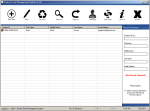
Email Management System for students using visual basic 6 and ms access. Application Sample Account: Username: Admin Password: Admin If you have any questions and suggestions just comment or email me at [email protected] Facebook Account: https://www.facebook.com/dah.factor Twitter Account: https://twitter.com/factordah Youtube Account: http://www.youtube.com/channel/UCIU6REK-GOXXjGURcbvUA2g

Real time Clock using Visual Basic 6

Submitted by dah.factor on
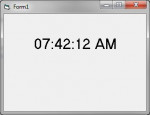
Step 1: Open MS Visual Basic 6 Step 2: Select Standard EXE as the New Project. Now you have a form named Form1. Step 3: Add a Label to Form1. Now you also have a label named Label1 Step 4: Copy the code below and paste it inside Form1. Step 5: Click Run. Enjoy! :) Dim WithEvents kell As Timer Private Sub kell_Timer() Label1.Caption = Format$(Time, "hh:mm:ss AM/PM") End Sub Private Sub Form_Load()

Computer Aided Instruction using Visual Basic.Net

Submitted by joken on
This Computer Aided Instruction System(CAIs) Level 1 includes the use of computers to teach academic skills and to promote communication and language development skills. The features of this system: 1. It has an admin side that enables user to customize the text headings of the main form, Description, Test Questionnaire for test Yourself, Chapters and Logo Section. This looks like as shown below