JavaScript

Enabling Submit Button

Submitted by GeePee on
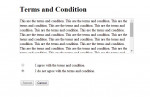
This simple project will teach you how to enable submit button when a radio button which corresponds to a certain action is selected. This is commonly used in "Terms and Condition" agreement. In this example, the submit button is only enabled once a user selects "I agree with the terms and condition". Hope this helps you with your current works.

Web Page Overlay

Submitted by GeePee on
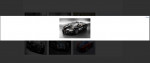
In this project, you will learn how to create overlay and transparent div background. By clicking the images, div overlay will appear with the original size of the image clicked and also it has a transparent background which looks like a new window but it's definitely not. It's just a div set to 100% width and height and opacity of .8 which covers the whole content of the page. Hope you learn from

Add/Remove Form Fields

Submitted by GeePee on
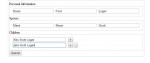
This project will teach you how to add more form fields using javascript. I have example form inserting personal info including spouse, and children's name. In children's section, the user has an option to add another form field to filled up. By clicking the + button, it will automatically add form fields. Hope you learn from this.

jQuery Datatables

Submitted by GeePee on
In this project, you will learn how to use data table jquery plugin. Just add the data table plugin in your project and with a single javascript code, data tables can be initialized. This will enhance the accessibility of data in html tables. Hope you learn from this.

Inline Action Listeners in Javascript

Submitted by Yorkiebar on
Introduction: This tutorial is on how to use inline listeners through jQuery/Javascript in HTML elements. Inline? Inline simply means that the code is written inline with the element that it is linked to, as opposed to elsewhere within the same file, or even an external file like most .css (Cascade Styling Sheets) are. Listeners: There are many different listeners which can be used to interact with the users actions, a couple I will show you how to use are; onmouseover onclick As I am sure you can depict from the above two examples, onmouse