PHP

PHP Source Code

Free PHP Source Code. Download from a vast collections of free PHP source code below. You can modify and integrate it in your own personal use. Just give a little credit to the original author whenever you use it on your system's project.

THE FUTURE SCHOOL MANAGEMENT SYSTEM
Submitted by optimumlinkup on
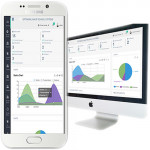
Check our official website https://gosfem.com for updated version ADMIN PANEL Managing User accounts (teacher, student, parent) Managing classes, subjects Managing exam, grades Managing exam marks Managing Loan Information Managing Computer Based Test (CBT) Sending exam marks via sms Managing students attendance Managing accounting, income and expenses Managing school events Managing Teachers

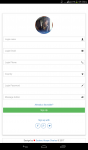
Attractive Login Form

Submitted by abracadabra1769 on
This is a Simple Login webpage with attractive template. Create an database Database Name : site Remember Small 's' Create a table name login and then input the username and password into the value inside table. Note, For security purpose When inserting the password value use function "MD5" THE ABOVE STEP IS COMPULSORY Then run and use this code in your project. Thanks & abracadabra

E-Banking System

Submitted by nanzige on
E-Banking application where you are able to make: Deposit, Withdraw and check available balance. Requirements: -- phpMyAdmin SQL -- version 4.6.5.2 -- PHP Version: 5.6.30 Copy folder : bank into htdocs Import database: "atm" from the folder Bank to create a database in my SQL Access the application : http://localhost/bank/ Thanks , please enjoy. Welcome any comments and suggestions

Inventory System 1.0

Submitted by michael.galanza2016 on
To run the system please follow the step below. 1.Create Database name db_project2017 and import the database db_project2017. 2.Upload the file to your server directory. 3 Import the database. 4. Login the account given below. account: [email protected] password: password 5. go to link http://[::1]/index.php/inventory Hope this system guide you and this will be usefull without any warranty. For

Human Resource Management System 1.0

Submitted by michael.galanza2016 on
Human Resource Management System 1.0 To run the system please follow the step below. 1.Create Database name db_project2017 and import the database db_project2017. 2.Upload the file to your server directory. 3 Import the database. 4. Login the account given below. account: [email protected] password: password Hope this system guide you and this will be usefull without any warranty. For updates and