Loading

Paging DataGridView in Windows Forms Applications

Submitted by: 
Visitors have accessed this post 11171 times.


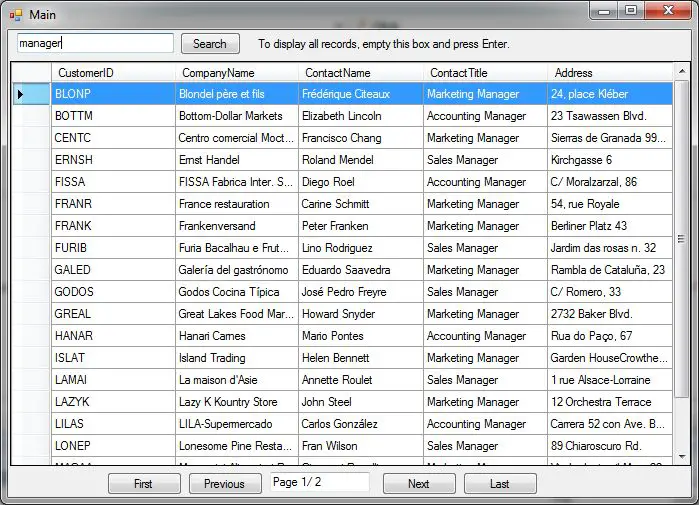
The source code included in the zip file allows you to page DataGridView control in Windows Forms application.

I just found the code in the internet and modify some few lines to fix some bugs on navigation an empty table.

Additionally, I added a search box to search common fields like CompanyName, ContactTitle, etc.

The code is written in VB.NET, but you can convert it easily using this tool:

Convert C# to Visual Basic .NET or vice versa.


Download Code: 

Note: Due to the size or complexity of this submission, the author has submitted it as a .zip file to shorten your download time. After downloading it, you will need a program like Winzip to decompress it.

Virus note: All files are scanned once-a-day by SourceCodester.com for viruses, but new viruses come out every day, so no prevention program can catch 100% of them.

FOR YOUR OWN SAFETY, PLEASE:

1. Re-scan downloaded files using your personal virus checker before using it.
2. NEVER, EVER run compiled files (.exe's, .ocx's, .dll's etc.)--only run source code.


Add new comment

Filtered HTML

  • You may insert videos with [video:URL]
  • You can enable syntax highlighting of source code with the following tags: <code>, <blockcode>, <asp>, <c>, <cpp>, <csharp>, <css>, <html4strict>, <java>, <javascript>, <mysql>, <php>, <python>, <sql>, <vb>, <vbnet>. The supported tag styles are: <foo>, [foo].
  • Lines and paragraphs break automatically.

Plain text

  • No HTML tags allowed.
  • Web page addresses and e-mail addresses turn into links automatically.
  • Lines and paragraphs break automatically.