Loading

Visual Basic .NET

Submitted by: 

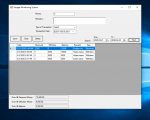
This is a system in the hospital PCGH The Back End is SQl server 2008
if you want to finish this project juct contact me ^_^

Submitted by: 

hi this is multi columns Combobox from sql server 2008 using visual basic .net ^_^

Submitted by: 

To All,

This is a very simple sample on how to send email using VB.Net and your gmail account.
If you do not have gmail account yet, go to http://mail.google.com to register.

If you have questions, send your message using this contact form
http://thisiswelch.hostei.com/index.php/contact-me

To find some tips and tutorials in vb programming; go to my website http://thisiswelch.hostei.com and you are also welcome to register.

Submitted by: 

This is a very simple sample Add, Edit, Delete, and Search code for VB.Net and MS SQL server. This sample assumes that you have MS SQL Server 2005 Express or Standard Edition installed in your PC

Submitted by: 

The source code included in the zip file allows you to page DataGridView control in Windows Forms application.

I just found the code in the internet and modify some few lines to fix some bugs on navigation an empty table.

Additionally, I added a search box to search common fields like CompanyName, ContactTitle, etc.

The code is written in VB.NET, but you can convert it easily using this tool:

Convert C# to Visual Basic .NET or vice versa.

Submitted by: 

If you are using a Data-Bound DataGridView control, you cannot just simply add new row by using the cell property of the control.

A DataGridView that is bound using a DataSet can be access only using the DataSet properties. Forcing it to use the cell property can cause an error "Rows cannot be programmatically added to the DataGridView's rows collection when the control is data-bound."

Adding new row to a DataGridView control programmatically is useful when you want to pull some data from another table to a Bound DataSet with another table.

Submitted by: 

Record keeping system

Language - vb.net 2010
Database - Mysql(xampp)

im a newbie :)
my site..
http://www.facebook.com/AskCompTutor
http://computertutor2011.blogspot.com/

Submitted by: 

By default VB.NET and C# does not listen on the enter key or return key when you press your keyboard. Those it will not move your cursor to the next control like text box. Instead a tab key is used to navigate to other control in your windows form.

A simple ProcessCmdKey Overrides function is necessary to capture this event. Allowing you to use the Tab key as the enter/return key equivalent.

Here’s the code:

Submitted by: 

Microstock of Mexico is a point of sale system developed in vb.net web and sql server 2008 I hope that this project helpful greetings!

Submitted by: 

This is A Tool Which Help Us To Add Our Own Run_command....
Features:-
1.Add Your Command After Checking...
2.View Available Commands In List and Also With Full path..
3.Easily Search or Delete Existing Command....
4.or Clear the Run Command History...

If You Run this Code in Windows 7 Base Pc then Please run this as a Admin.

Pages